Project
CTF Platform 제작 - 2 / Jenkins ↔ Github webhock 연동
supp0rt
2024. 11. 21. 20:32
Flow
- github access token 생성
- jenkins web token 등록
- github repository webhook 등록
- jenkins web 이벤트 생성
1. github access token 생성
- Profile → Settings → Developer settings → Personal access tokens → Tokens(classic) → Generate new token(classic)
- repo / admin:repo_hook 체크
- 토근 값 복사 후 저장
2. jenkins web token 생성
- Dashboard → Security → Credentials → (global) Add Credentials
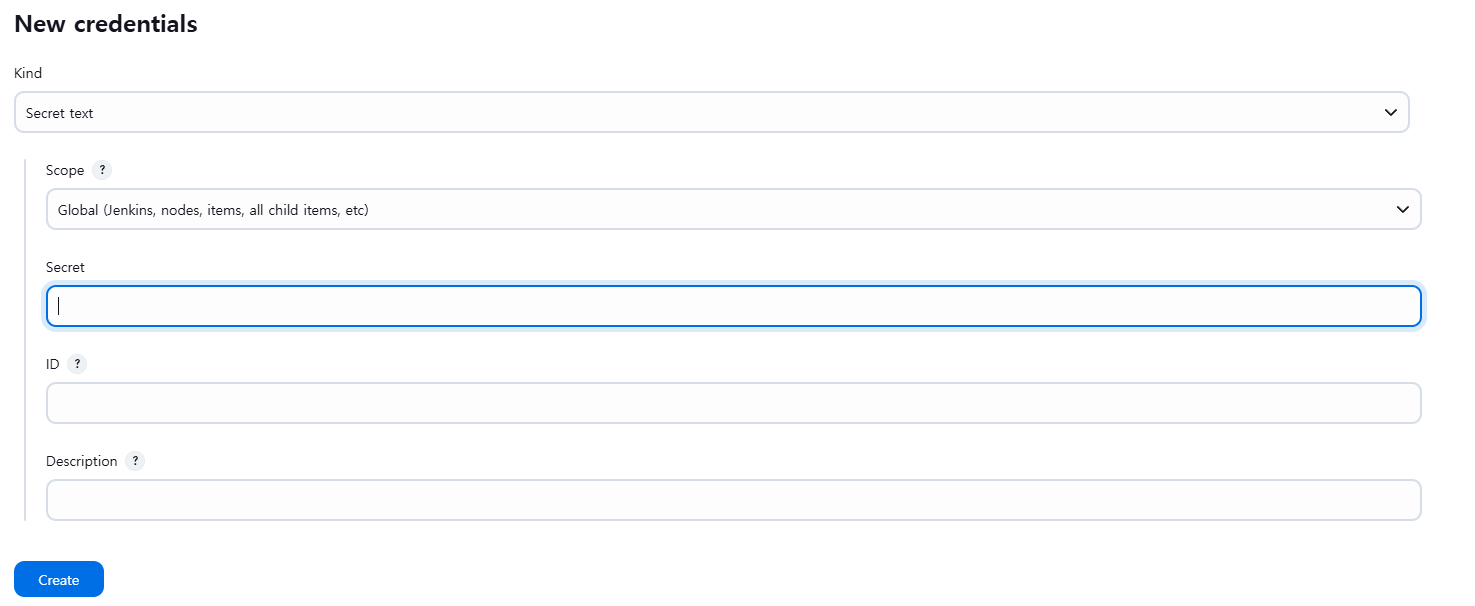
secret → Github token
ID → github id
3. github repository webhook 등록
- Repository 생성
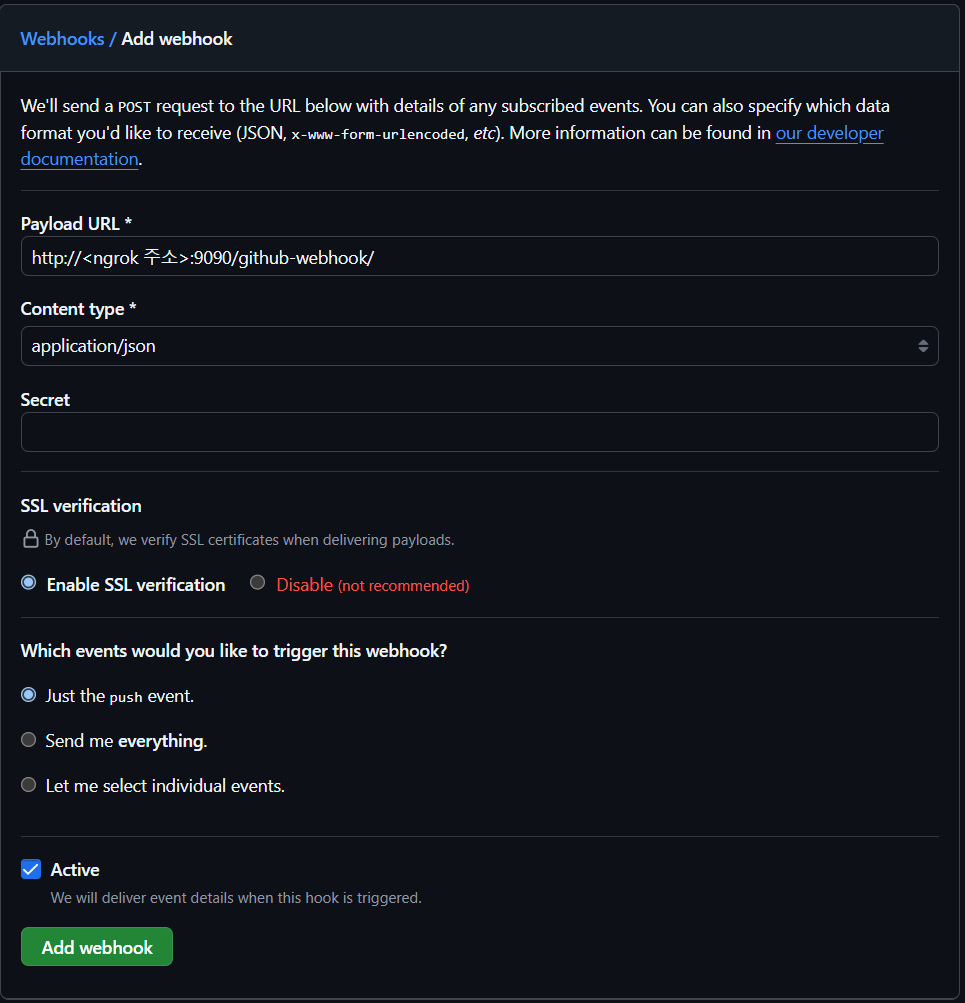
- Settings → Webhooks → Add webhook
4. Jenkins web 이벤트 생성
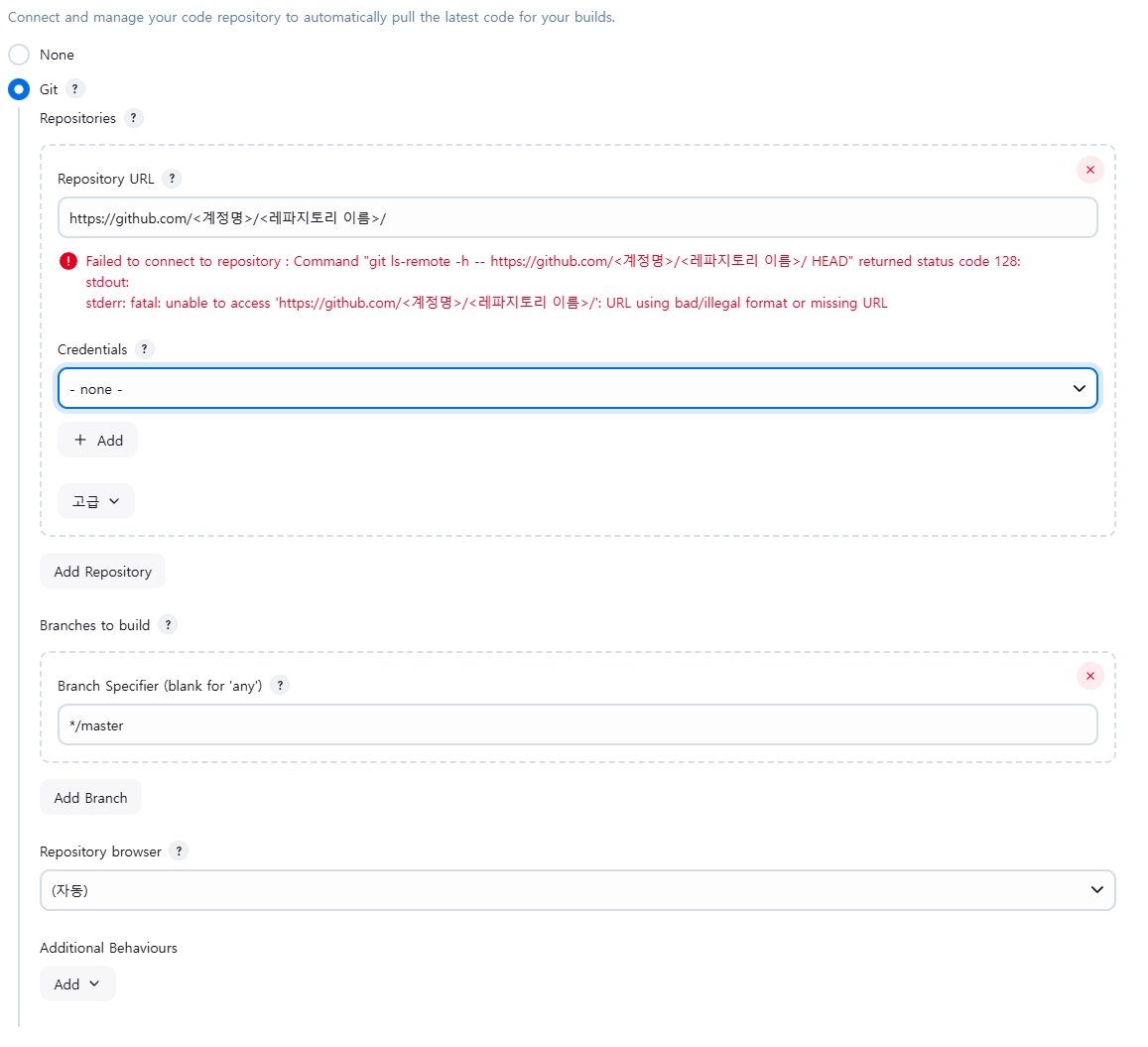
- 새로운 item → Freestyle project 및 item name 입력
- Repository URL → github repository url
- Credentials → 아까 만든 jenkins token
- Branch Specifier → repository branch
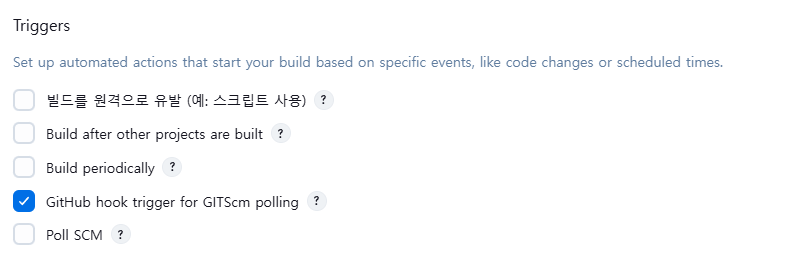
- Triggers → GitHub hook trigger for GITScm polling 체크